
🌐Choose language
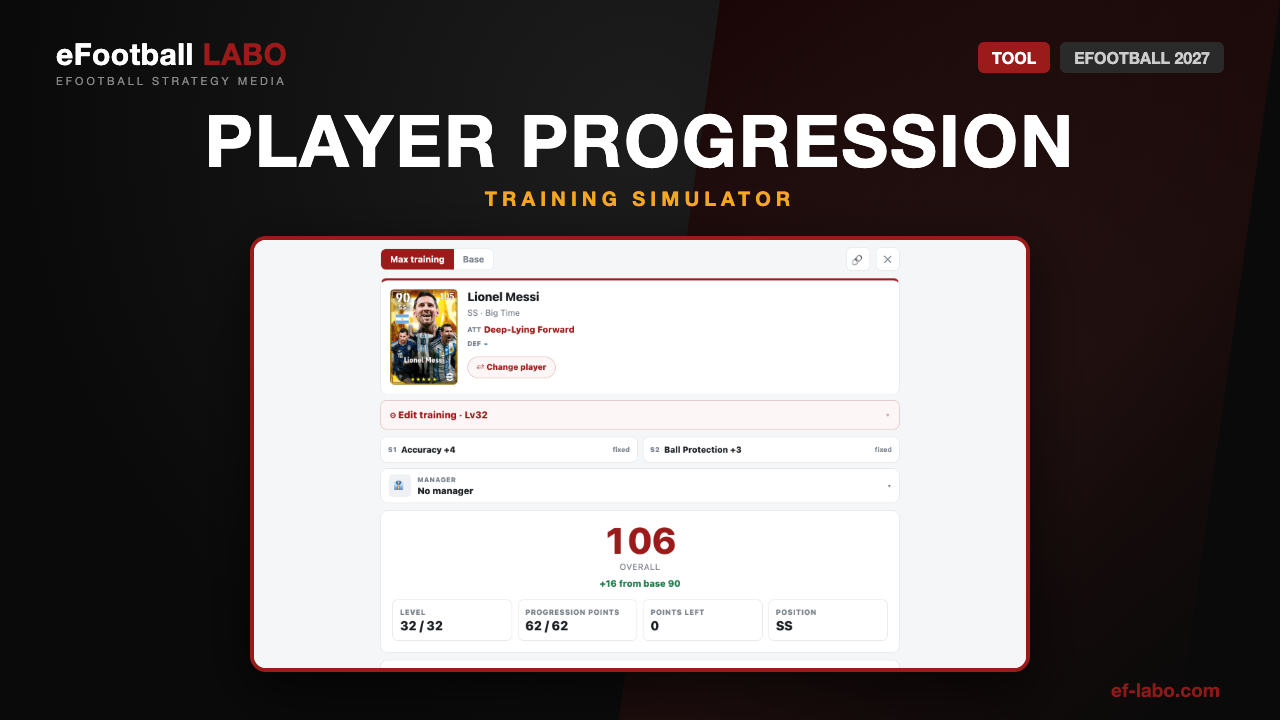
Simulate a card’s progression before you commit it to your squad. Pick a player and spend the points, and every stat and the overall change on the spot. Boosters and the manager are applied too, so what you see is what the card becomes in game. All 14,483 cards are included.
Tap the card to change the player, then open Edit training to spend the points.
What this tool does
- Search any card — filter by name, position and card type
- Spend the points freely — stats and the overall update live as you go
- Max training in one tap — the best allocation is worked out for you
- Two booster slots — cards that ship with a booster show it locked in place
- Manager effects — pick a manager and its boost is applied on top
- Attacking and defensive playing styles — both shown per card, for eFootball 2027
How to use it
- Search and select a player. Filter by position or card type if you are browsing.
- Spend the points across the categories in Edit training, within the points you have left.
- Add boosters and a manager if you want the full in-game picture.
- Read the result. The overall and all 26 stats update to their final values.
Every value shown is the final one, with progression, both boosters and the selected manager applied. Max training also shows you a card’s ceiling at a glance, which is the fastest way to judge how much room a card still has.
How player progression works
Levelling a card on its own does not raise its stats. Each level gives you 2 points, and the card only gets stronger once you spend them.
Since eFootball 2026, team style aptitude has been removed and points go into stats alone. Points that were spent on aptitude before the change were refunded, so cards you built under the old system have points sitting unspent.
The more you push one stat, the more it costs
Upgrades to the same stat get progressively more expensive, so spreading points thinly wastes them.
| Upgrades to one stat | Cost per upgrade |
|---|---|
| 1st – 4th | 1 point |
| 5th – 8th | 2 points |
| 9th – 12th | 3 points |
| 13th – 16th | 4 points |
This is the single most useful thing to know about progression: concentrate. Committing to two or three stats gets far more out of the same points than lifting everything a little.
What each category raises
Points are spent by category, not on individual stats. These are the categories and what each one lifts.
| Category | Stats it raises |
|---|---|
| Shooting | Finishing, Set Piece Taking, Curl |
| Passing | Low Pass, Lofted Pass |
| Dribbling | Ball Control, Dribbling, Tight Possession |
| Dexterity | Attacking Awareness, Acceleration, Balance |
| Lower Body | Speed, Kicking Power, Stamina |
| Aerial | Heading, Jumping, Physical Contact |
| Defending | Defensive Awareness, Tackling, Aggression, Defensive Engagement |
| GK 1 | GK Awareness, Jumping |
| GK 2 | GK Parrying, GK Reach |
| GK 3 | GK Catching, GK Reflexes |
Where to spend by position
| Position | Usual priority |
|---|---|
| Forwards | Lower Body, plus Dribbling and Dexterity — finishing and beating your marker |
| Midfielders | Lower Body, plus Passing, Dribbling and Dexterity — linking play and covering ground |
| Defenders | Lower Body, plus Defending and Aerial — duels and challenges |
| Goalkeepers | GK 1 to GK 3 — raising saving across the board |
Treat this as a starting point rather than a rule. The right spend depends on the role the card plays in your squad and on its playing style.
Resetting progression is free
You are not locked into a build. Since version 4.0.0, resetting a card’s progression is free and unlimited — it no longer costs GP, and you can redo it as often as you like.
- Open My Team.
- Select the player you want to rebuild.
- Open the progression screen and choose Reset. The points come back and you can spend them again from scratch.
If you have cards from before the 2026 change, this is worth doing — the refunded aptitude points are waiting to be spent.
Letting the game spend the points
The game can also allocate for you. From the progression screen, the recommended option fills the card up to its current level cap in one go. If you do not like the result you can undo it and go back to the previous state, or reset and start again.
Take the automatic allocation as a base, then adjust the two or three stats you actually care about by hand. You get most of the speed without giving up the build.
FAQ
Can you reset progression in eFootball?
How many points do you get per level?
Should I spread points or concentrate them?
Do I need to own the card to plan it?
Does it work on mobile?
Summary
- Levelling does nothing on its own — 2 points per level, and stats only rise when you spend them
- Concentrate your points: the same stat costs 1, then 2, then 3, then 4 points per upgrade
- Since eFootball 2026, points go into stats only, and old aptitude points were refunded
- Resetting is free and unlimited since version 4.0.0, so a build is never a dead end
- The simulator shows the finished card — progression, boosters and manager — for any card in the game
